Real-Time 3D Keychain Previews Are Now Live on Artiststore
October 16,2026 9:30 PM(UTC+8) 102 views
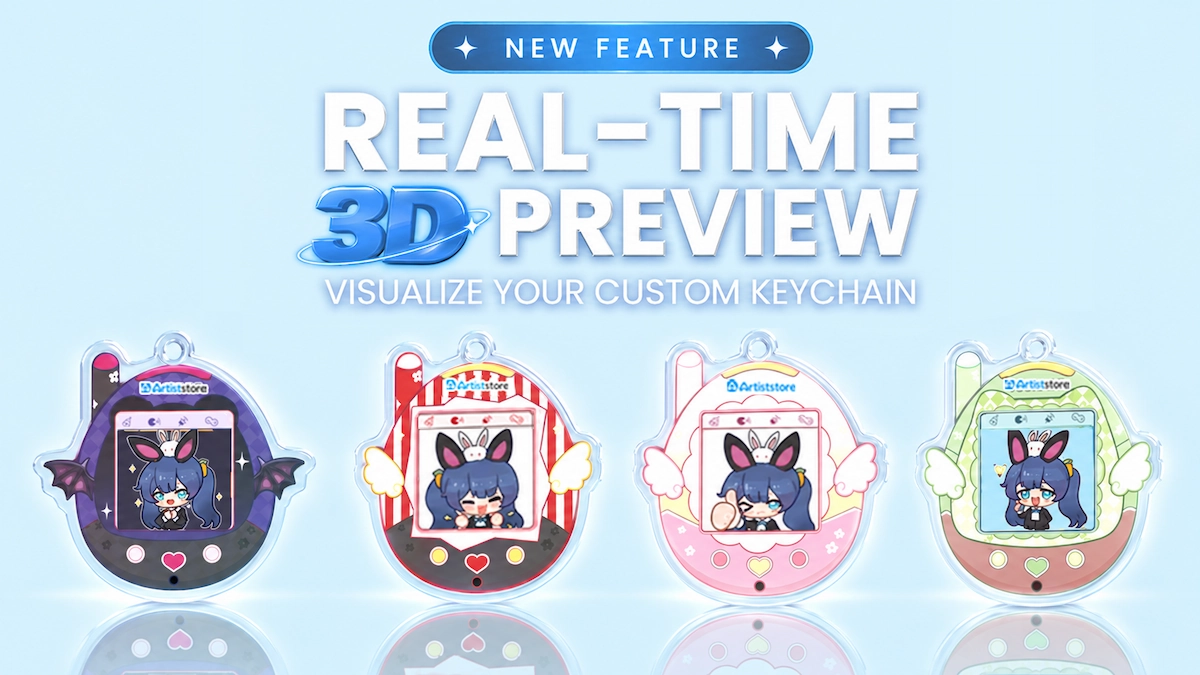
See how your design looks before ordering a sample—and give your customers a better view before they buy.
Turning your artwork into custom merchandise is exciting. But a flat design file doesn't always show you how a finished product might look. Where will the artwork sit? How will the design work with the keychain itself?
That's why we've introduced real-time 3D previews for selected keychain products on Artiststore.
When you create an eligible keychain, you can upload your artwork and see a 3D preview of the design on the product as you work. And the feature isn't just for artists: supported product pages can display the 3D view, giving customers a clearer idea of what they're buying.
🎨 See Your Keychain Design from a New Angle
Instead of relying on a flat image or a standard mockup, you can see how your artwork appears on the keychain during product creation. It's a useful way to review the overall look before publishing a listing or ordering a sample.
With the 3D preview, you can:
l Check the placement and overall appearance of your artwork.
l See how the design works with the keychain format.
l Review the visual result before ordering a sample.
l Move ahead with product creation and publishing more confidently.
🛍️ Bring 3D Previews to Your Product Pages
The new feature doesn't stop at the Artist Dashboard. Once you publish a keychain that supports 3D previews, its product page can display the 3D view too.
That means customers don't have to imagine the product from your artwork alone. They can see the design applied to the keychain before deciding whether to buy—making the shopping experience a little more visual and a lot easier to understand.
Why 3D Product Previews Matter
Online shoppers can't pick up a keychain and examine it the way they could in a physical store. For custom merchandise, how you present a product matters almost as much as how you describe it.
A clearer look at the product. A 3D preview shows how the artwork appears on the keychain, not just as a standalone image.
Less uncertainty before checkout. Seeing the design in context helps customers form a better expectation of the product.
A more engaging storefront. An additional way to view your work can make product pages feel more complete and informative.
For artists, it's one more way to show off the details of a design you've spent time creating.
🛠️ How to Use the Real-Time 3D Keychain Preview
1. Choose a supported keychain. Open your Artist Dashboard and select a keychain product with 3D preview support.
2. Upload your artwork. Add your design in the online editor and set it up for the product.
3. Check the preview in real time. See how the design looks on the keychain while creating your product.
4. Publish your product. Once you’re happy with the design and product details, publish the listing to your Artiststore shop.
5. Let shoppers view it in 3D. Customers can see the 3D display directly on the product page for supported keychains.
Made for Artists—and the People Who Love Their Work
Artiststore helps artists turn their ideas into products they can sell without having to stock inventory in advance. Real-time 3D preview is another step toward making that process easier.
It's useful on both sides of a sale: you get a better sense of your design as you create, and your fans get a clearer look when they shop. Less guesswork means more room to focus on the artwork, the launch, and the people you're creating for.
More Keychains Will Support 3D Previews
Right now, the feature is available for selected keychain products. We're planning to expand 3D preview support to more keychains, so keep an eye on Artiststore's product updates.
🚀 Ready to See Your Design in 3D?
Choose a keychain that supports 3D Preview, upload your artwork, and take a closer look before you publish.