

1. Sign in to your Etsy shop account
Go to Etsy’s official sign-in page and log in to the account connected to your shop.
2. Open your Shop Manager
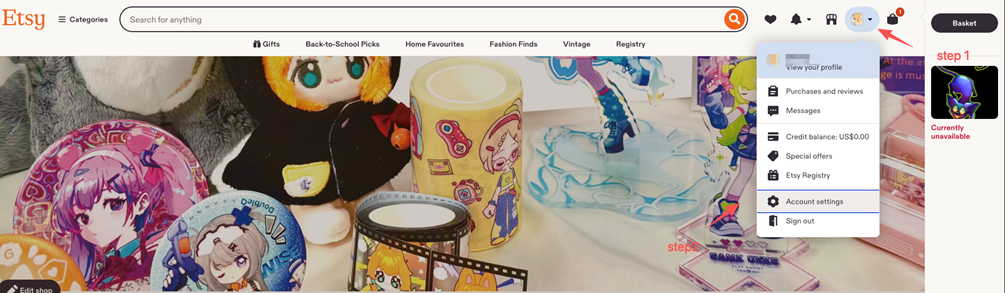
Once you’re signed in, open Shop Manager from your account menu.
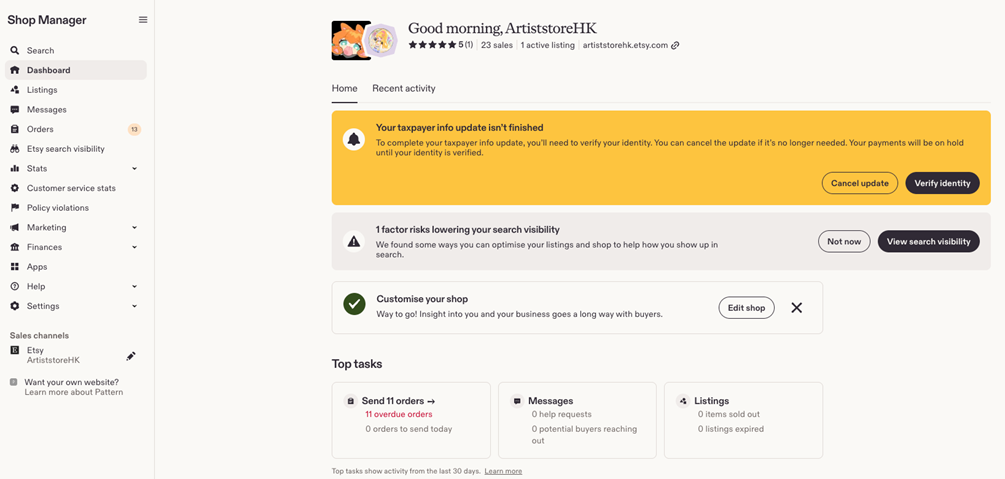
After Shop Manager loads, you should see your shop dashboard.
3. Add or update a shipping profile
3.1 Open Delivery settings
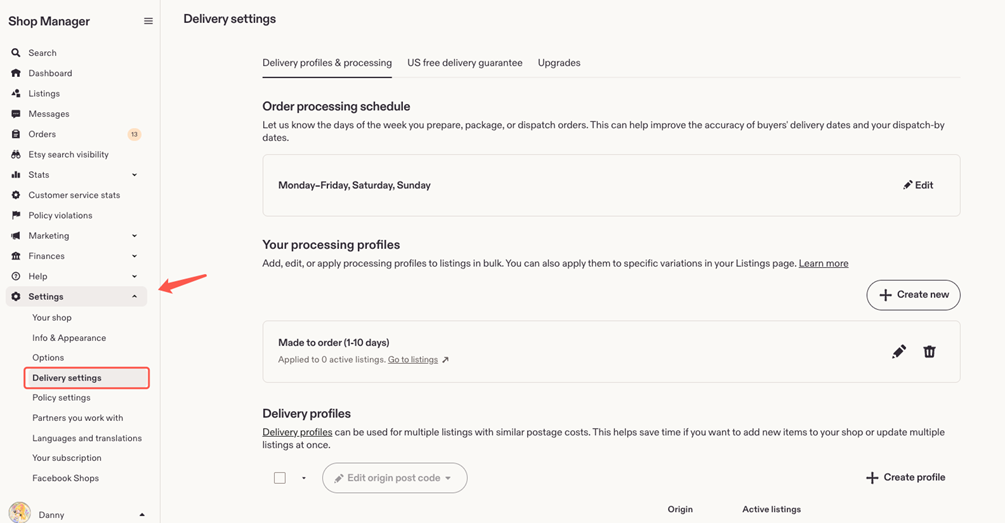
In Shop Manager, go to Settings > Delivery settings.
3.2 Create a new shipping profile
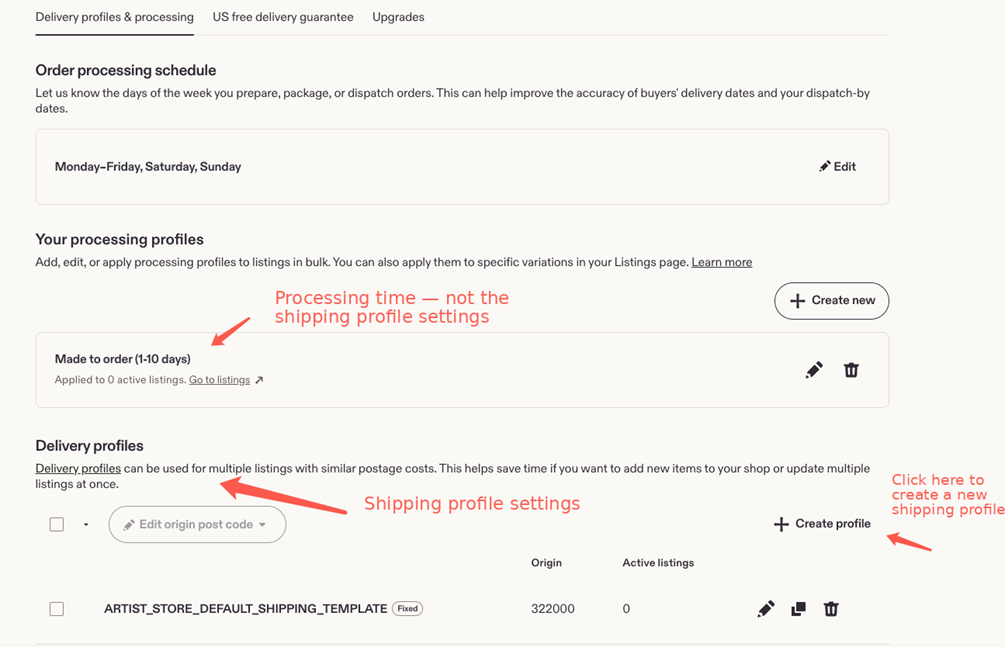
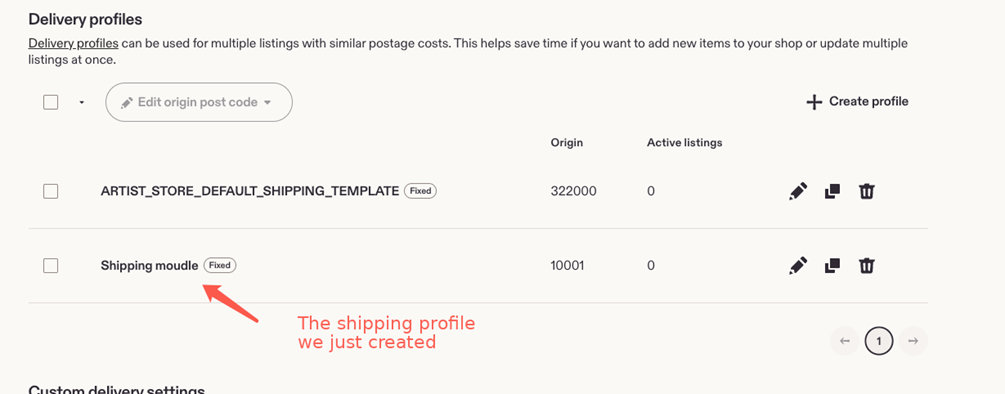
Under Delivery profiles & processing, scroll to the Delivery profiles section and click Create profile to add a new shipping profile.
Tip: The “Your processing profiles” section controls processing time. It is separate from your shipping profile settings.
3.3 Enter your shipping details
Fill in the shipping settings that apply to your shop. Depending on your setup, this may include:
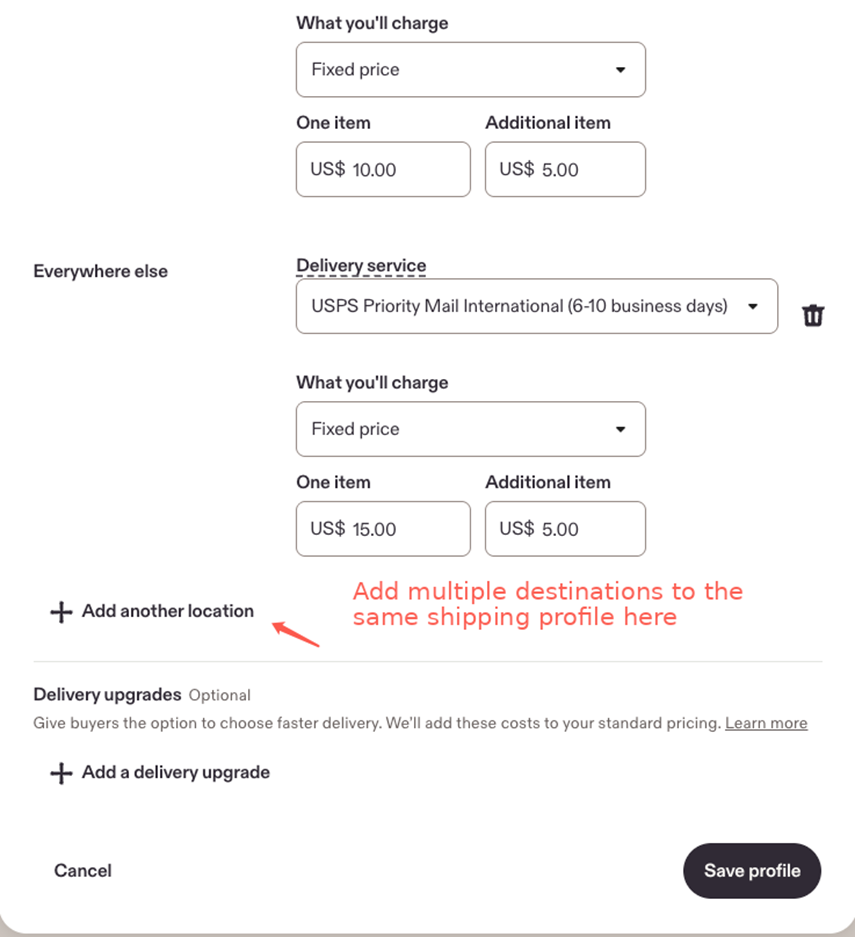
· Delivery service and estimated delivery time
· Shipping cost for one item
· Shipping cost for each additional item
· Additional destinations or regions
· Optional delivery upgrades
To add more destinations to the same profile, click Add another location.
3.4 Save the profile
Once all the information is complete, click Save profile.
3.5 Apply or customize the shipping profile for a product
Your new profile will appear in the Delivery profiles list after it is saved.
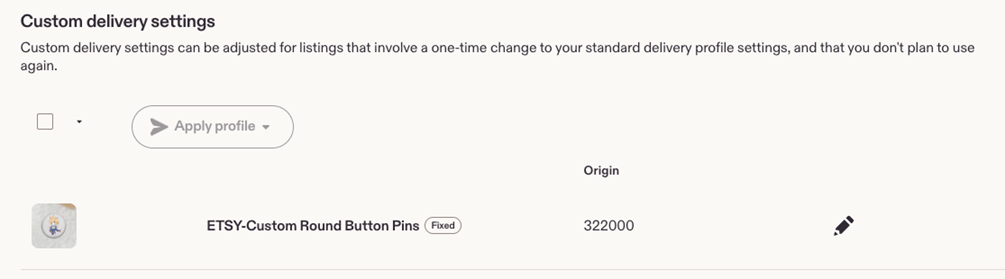
If a specific listing needs different shipping settings, you can customize the delivery settings for that product.
3.6 Review the product’s delivery settings
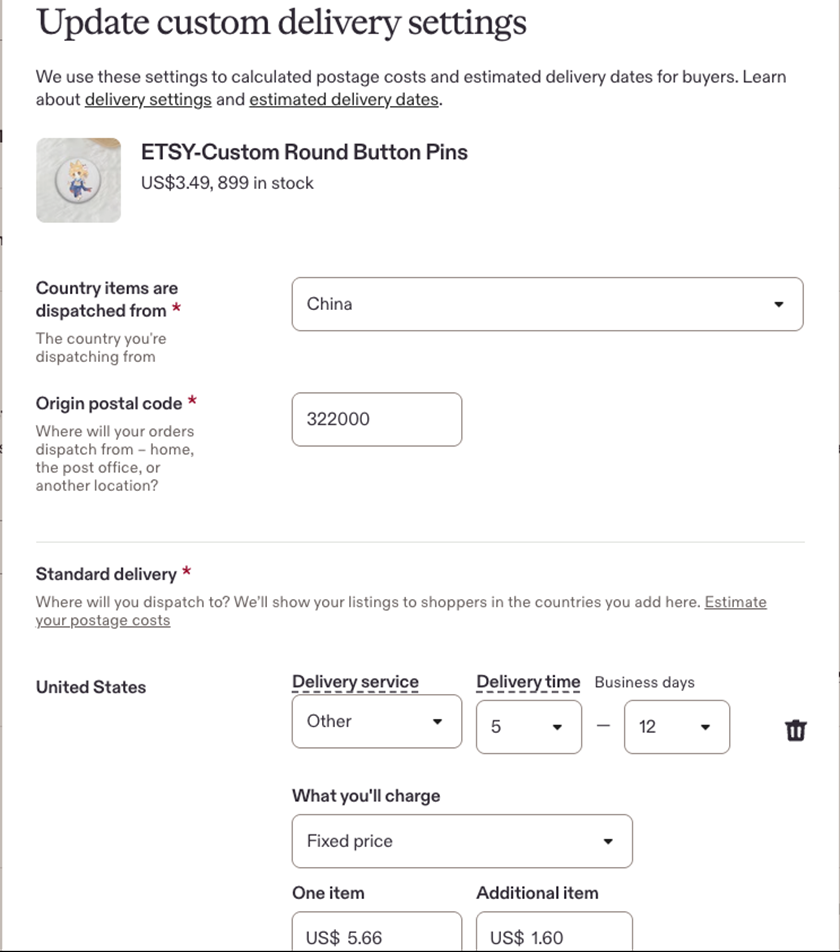
Open the product’s custom delivery settings and review the dispatch location, origin postal code, delivery service, delivery time, and shipping charges.
4. Your shipping profile is ready
Once the setup is complete, the shipping profile will take effect. Buyers in different regions will see shipping charges based on the settings you configured for their location.