

How to Change Your Artiststore Shop Name
How to Change Your Artiststore Shop Name
Want to give your shop a new name? You can easily update your shop name through your Artiststore dashboard. Just follow the steps below!
How to Change Your Shop Name
Step 1: Log In to Your Artiststore Dashboard
Log in to your Artiststore account and go to your creator dashboard.
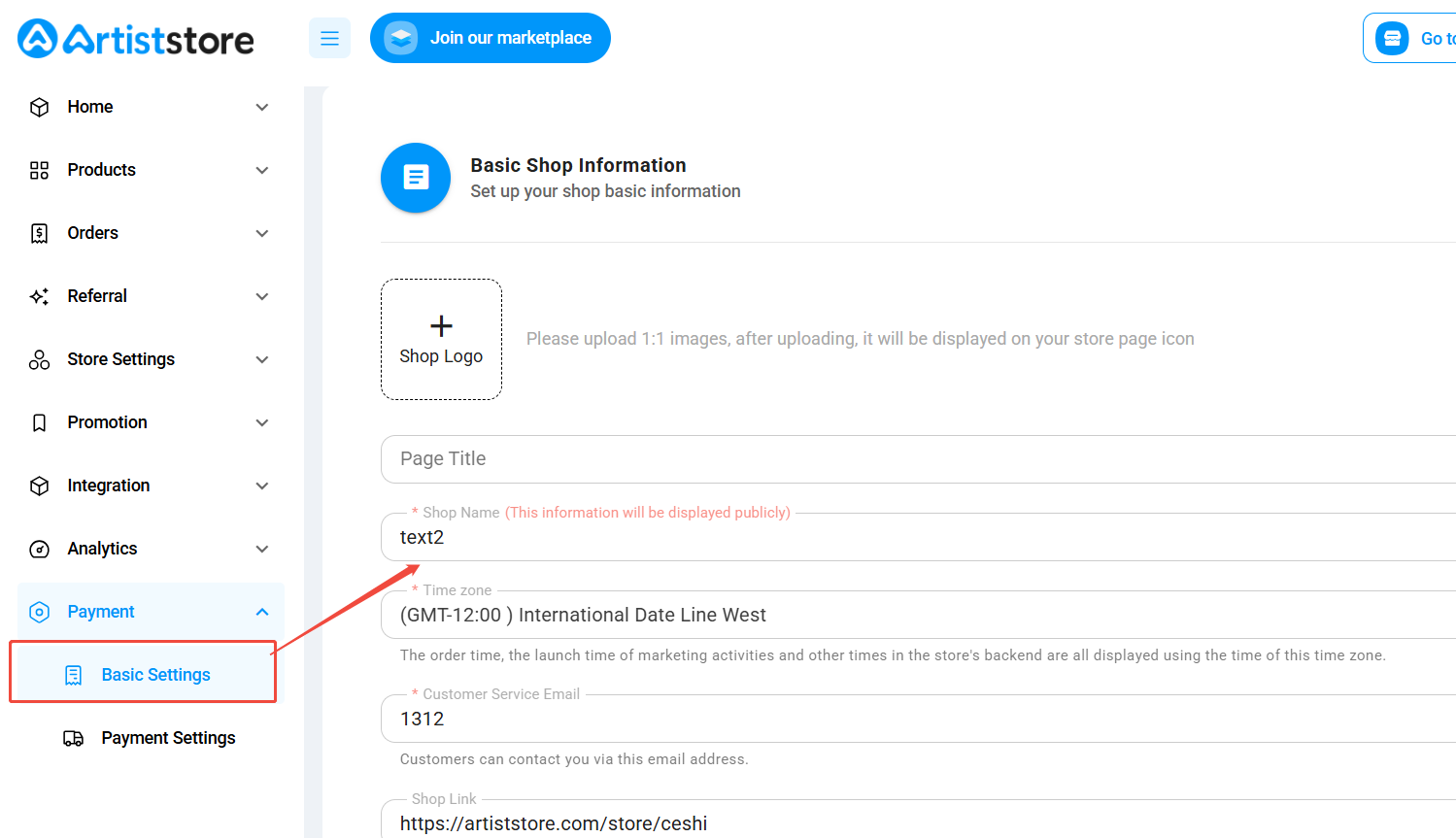
Step 2: Go to Basic Settings
From the left-hand menu, navigate to:
Payment → Basic Settings
Step 3: Update Your Shop Name
Find the Shop Name field, remove your current shop name, and enter your new preferred name.
Step 4: Save Your Changes
Once you're happy with your new shop name, click Submit to save your changes.
That's it! Your shop name will be updated once your changes are successfully saved.
Frequently Asked Questions (FAQs)
Q1: Will changing my shop name affect my products or existing orders?
No. Changing your shop name only updates the name displayed on your shop. Your existing products and orders will not be affected.
Q2: Will my shop URL change when I update my shop name?
No. Your Shop Name and Shop Link are separate settings. Changing your shop name will not automatically change your shop URL.
Q3: Do I need to republish my products after changing my shop name?
No. There's no need to recreate or republish your products. Your existing products will remain in your shop.
Q4: What should I do if my shop name isn't updated?
Make sure you've entered your new shop name and clicked Submit to save your changes. If the issue persists, please contact Artiststore Support for assistance.
Still have questions? Feel free to reach out to our support team on Discord. We're always happy to help!