

How to Change Your Artist Avatar and Name
How can I change my artist avatar and name?
You can easily update your artist avatar and display name from your Artiststore dashboard.
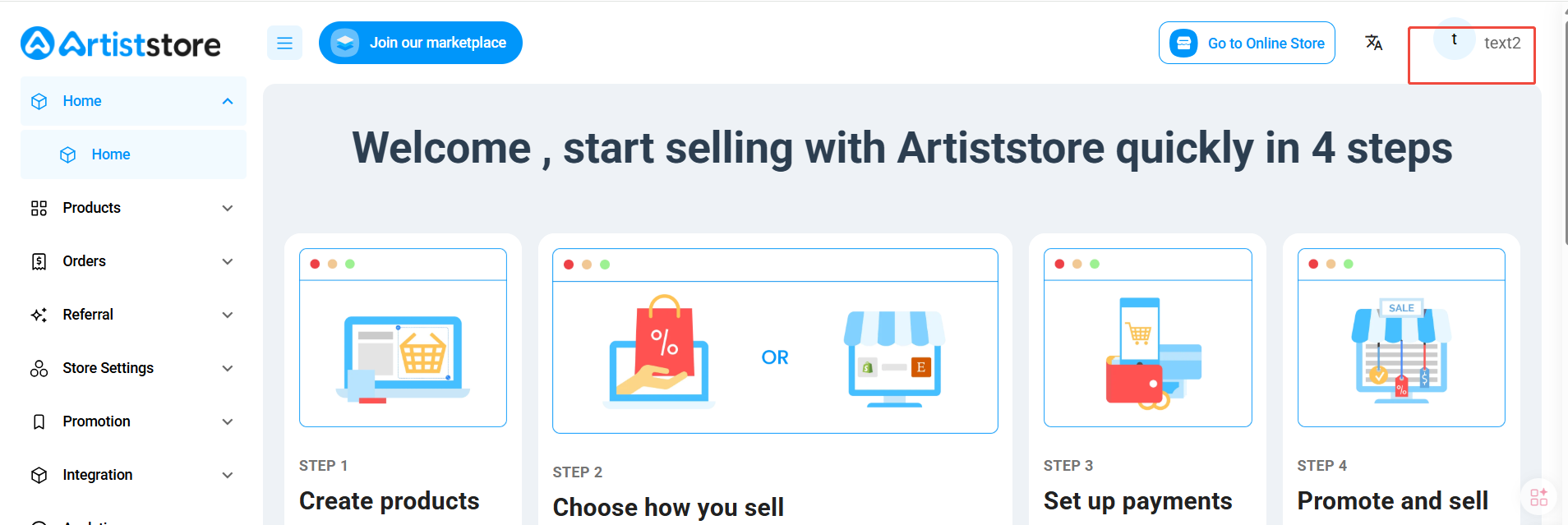
Step 1: Open Your Profile
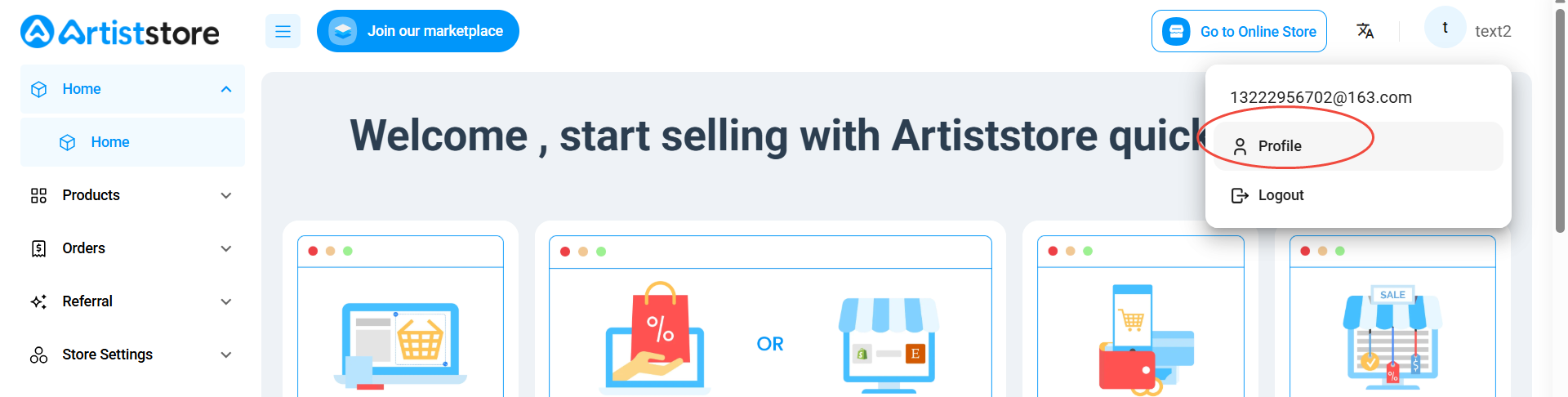
Log in to your Artiststore dashboard and click your avatar or account icon in the top-right corner. Select Profile from the dropdown menu.
Step 2: Go to Account Management
On the Account Management page, find the Artist Profile section under Current Account.
Step 3: Update Your Avatar or Name
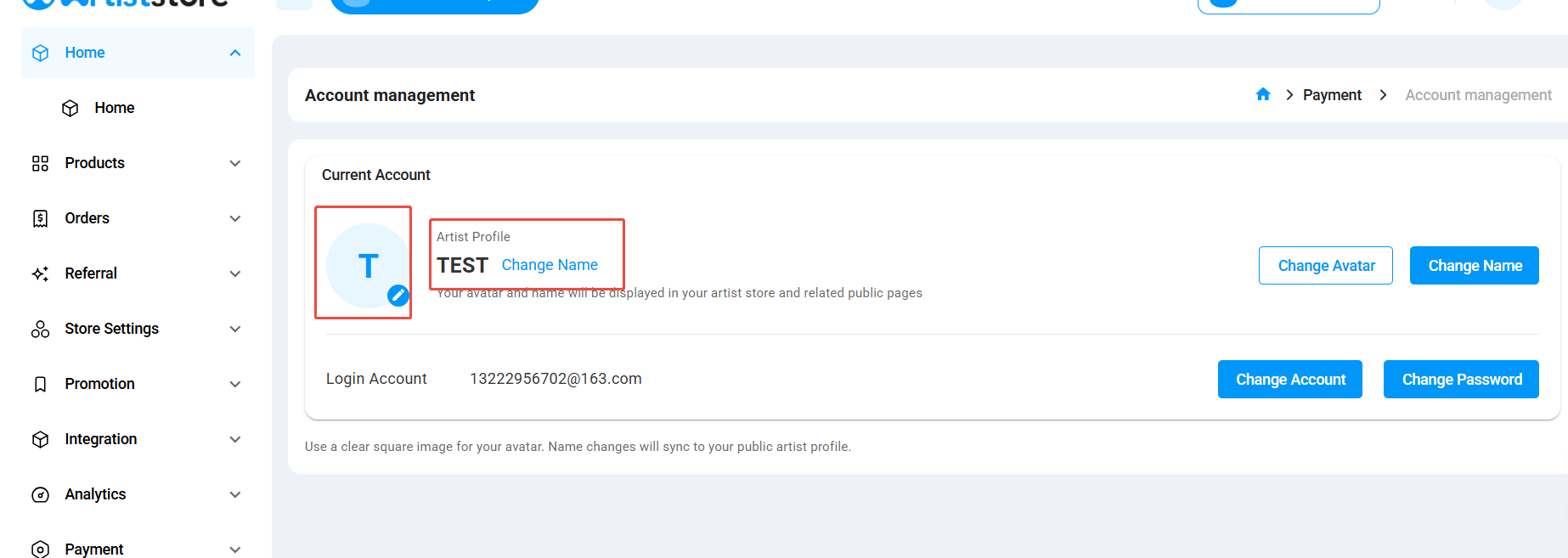
- Change Avatar: Click Change Avatar or the edit icon on your current avatar to upload a new profile picture.
- Change Name: Click Change Name to update your artist display name.
Your updated avatar and artist name will be displayed on your artist store and related public pages.
Note:
We recommend using a clear, square image for your artist avatar.
Changes to your artist name will automatically sync with your public artist profile.