

How to Change Your Shop Name
You can easily update your store name from your Artiststore dashboard by following these steps.
Step 1: Go to Basic Settings
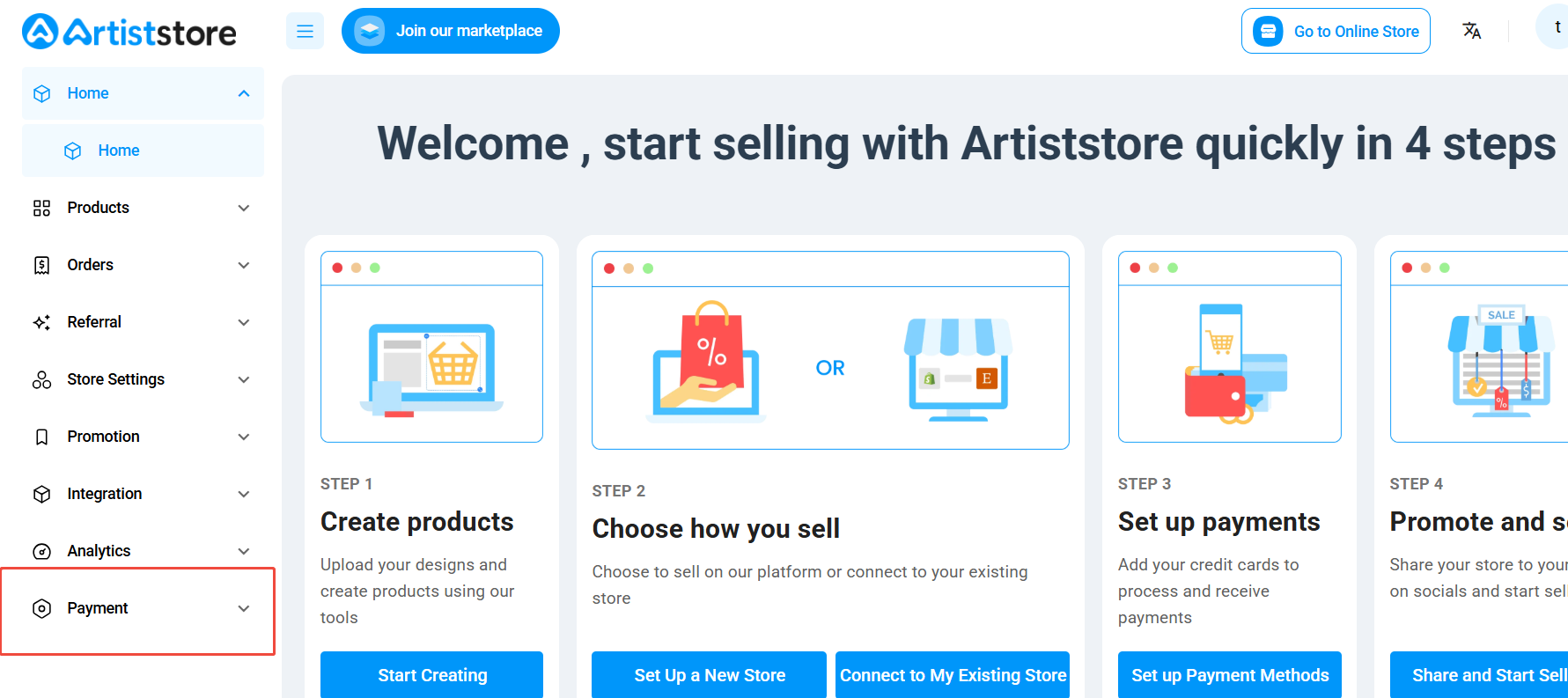
Log in to your Artiststore dashboard and click Payment in the left-hand menu. Then select Basic Settings.
Step 2: Update Your Shop Name
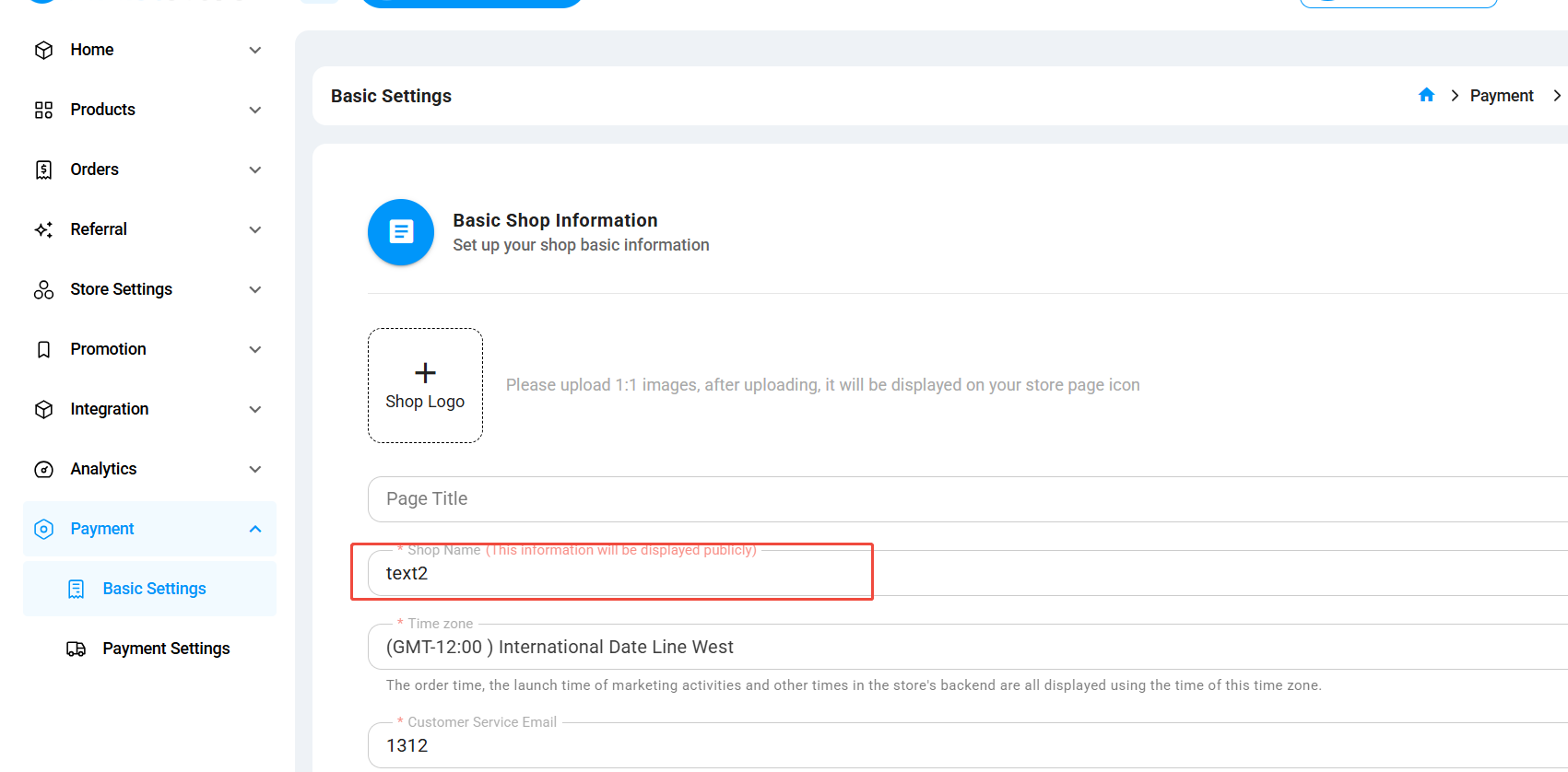
Under Basic Shop Information, find the Shop Name field. Enter your new store name and save your changes.
Your updated shop name will be displayed publicly on your artist store.
Note: Your Shop Name is your public-facing store name. It is separate from your Artist Profile name.