For many artists, making the artwork is the easy part. Turning that artwork into something people can actually buy is where things get more complicated.
You need products, pricing, a storefront, payment methods, shipping, order fulfillment—and ideally a way to manage all of it without filling your room with boxes of unsold merchandise.
That is why print on demand has become such a practical option for independent artists. Instead of ordering inventory before you know what will sell, products are made after a customer places an order.
Artiststore is built around this model. Artists can create their own online storefront, turn artwork into physical products, set their own prices, and sell without managing inventory or fulfillment themselves. Production, packaging, shipping, and after-sales fulfillment are handled through Artiststore’s production system.
If you already have artwork ready, here is how to turn it into an online art store from start to launch.
Before You Start: Decide What Kind of Store You Want
You do not need a complete business plan before opening an art store, but it helps to have a simple direction.
Think about three things first:
· What type of artwork do you want to sell?
· Who is most likely to buy it?
· Which products make sense for your art?
An illustrator with character-based artwork might begin with acrylic keychains, stickers, pins, and prints. A graphic artist may prefer apparel, posters, or accessories.
You also do not need dozens of designs.
A small, focused first collection is usually easier to launch, promote, and improve than a store filled with unrelated products.
Artiststore currently focuses on physical print-on-demand products rather than digital downloads.
Step 1: Apply for an Artiststore Account
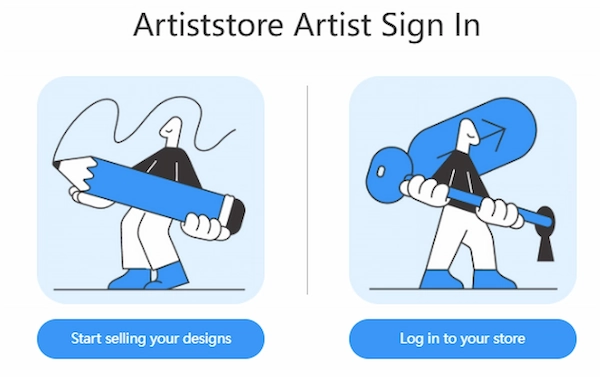
Start by going to Artiststore and selecting Sell Your Art , then submit the store application.
The application asks for basic information about you and your creative work. You may be asked to provide details such as your art category and links to your portfolio or social accounts.
You do not need to be an established artist with a huge following. What matters more is having artwork that clearly shows what you create.
Useful portfolio links can include Instagram, X, ArtStation, Behance, a personal website, or another place where your work can be reviewed.
According to Artiststore’s current setup process, applications are normally reviewed within 1–2 business days . Once approved, you receive an activation link for your account.
Step 2: Create Your First Products
Once your account is active, you can enter the Artist Dashboard and start creating products .
The basic process is straightforward:
1. Choose a product.
2. Upload your artwork.
3. Adjust the design placement.
4. Preview the product.
5. Add the product information and price.
6. Save and publish it to your store.
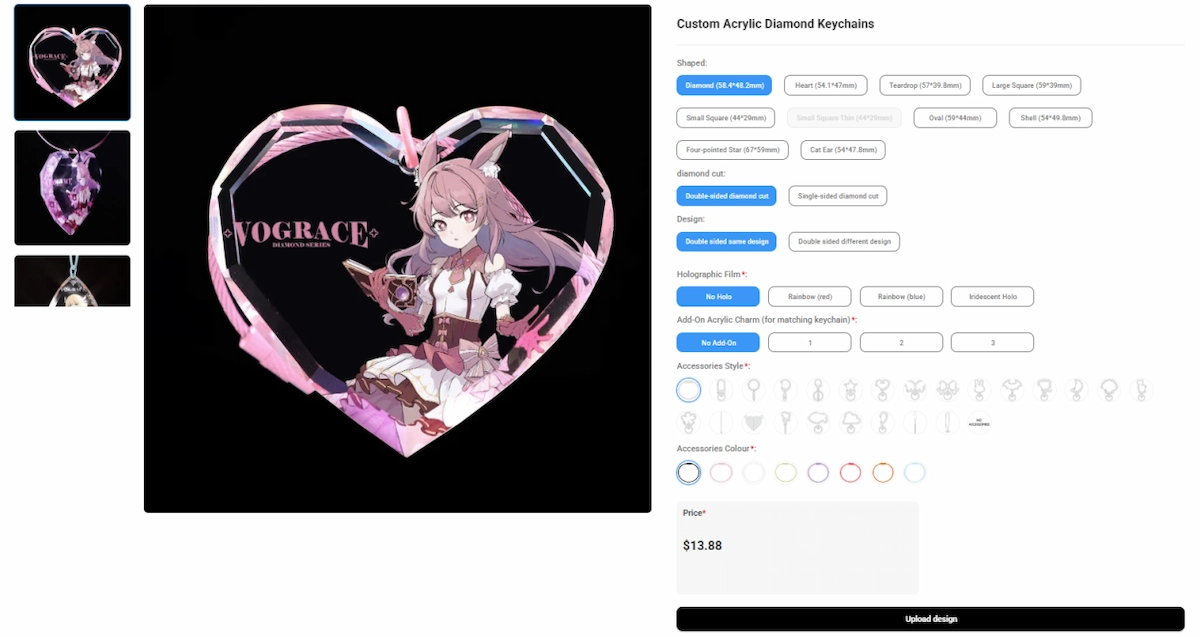
Artiststore provides online design and product-preview tools, so you can see how a design fits a product before listing it for sale. The platform currently offers a broad POD catalog with more than 10,000 customization variants across artist-focused merchandise.
What Should You Sell First?
Avoid trying to fill your store with everything on day one.
For a first launch, a compact collection built around one artwork, character, or theme is often enough.
For example, one character design could become:
· An acrylic keychain
· A sticker
· A button pin
· An art print
· An acrylic standee
This gives customers several ways to buy the same artwork at different price points without making your store feel scattered.
It also gives you useful information. After your first few sales, you can see which formats your audience actually prefers before expanding further.
Step 3: Set Your Prices
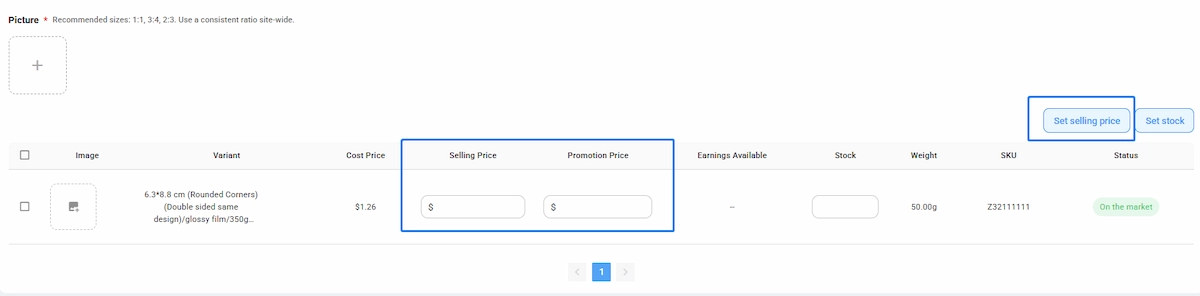
Pricing is one of the most important parts of opening an online art store.
With Artiststore, you choose the retail price of your products. Artiststore does not charge monthly or annual subscription fees, and its current platform model does not take a platform commission from your sales. Production costs are charged when an order is placed.
A simple way to think about pricing is:
Selling Price − Product and Fulfillment Costs = Your Gross Margin
Do not choose a price simply because another artist sells something similar for that amount.
Consider:
· Production cost
· Shipping expectations
· The type and size of the product
· Your audience
· The value of your artwork
· The margin you want to keep
· Possible promotions or discounts later
Leaving some margin also gives you more flexibility if you want to run sales, create discount codes, or bundle products in the future.
Step 4: Build Your Storefront
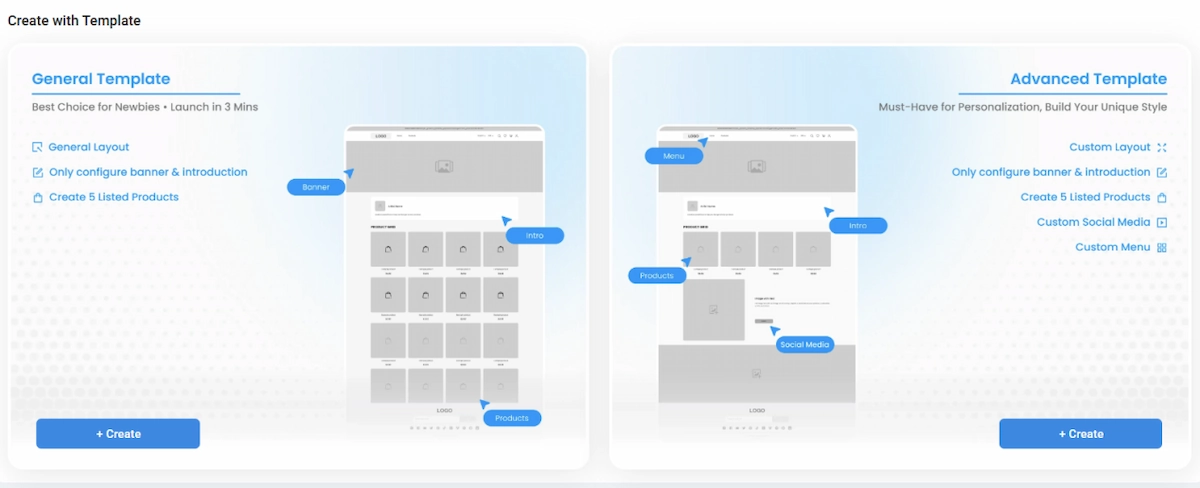
Products are only one part of an art store. Your storefront should also help visitors understand who you are and what kind of work you create.
Artiststore’s current Store Design editor allows artists to customize the header, body, and footer of their storefront. Available homepage sections include hero images, product grids, product carousels, collections, images, text, artist introductions, and blog posts. Sections can also be reordered inside the editor.
You do not need an elaborate homepage.
A simple artist store can work well with this structure:
Hero Section
Use one strong piece of artwork or a collection banner that immediately establishes the visual style of your store.
Instead of a generic message, give visitors something specific:
Shop the Moon Cat Collection
or
New Summer Merch Has Arrived
Featured Products
Show a small selection of products you most want visitors to discover.
New arrivals, signature designs, or your strongest collection are usually better homepage choices than displaying every product at once.
Collections
Group related products together.
You might organize products by:
· Character
· Series
· Artwork theme
· Product type
· Seasonal release
Good collections make a growing store easier to browse.
About the Artist
Give visitors a reason to remember the person behind the products.
You do not need a long biography. A few sentences about who you are, what you create, and what inspires your work can make the store feel much more personal.
People often discover a product first, but they may become repeat customers because they connect with the artist behind it.
Footer and Social Links
Add the social channels where people can continue following your work, along with useful store links such as FAQs, contact information, and policies.
The goal is not to make the storefront complicated. It is to make it feel recognizably yours.
Step 5: Set Up Payments and Billing
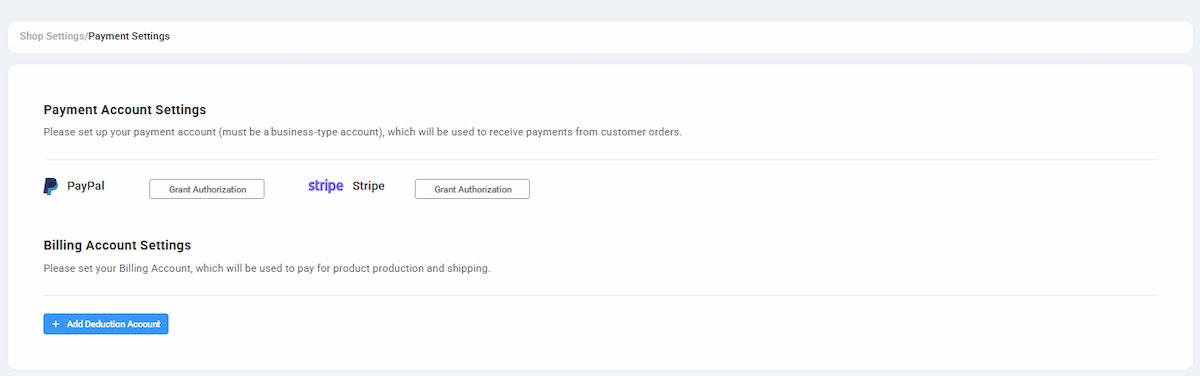
Before taking orders, you need to configure both customer payments and production billing .
Artiststore currently allows artists to receive customer payments through a connected Stripe or PayPal business account .
You also connect a credit or debit card for Artiststore billing.
The flow works like this:
Customer places an order → Customer payment goes to your Stripe or PayPal account → Artiststore charges the production and shipping costs to your billing card → The order enters production and fulfillment.
According to Artiststore’s current billing process , the production cost and shipping charge are normally billed automatically after the order is placed.
It is worth setting this up before promoting your store. A payment or billing problem can delay an otherwise valid order.
Step 6: Check Shipping Before Launch
Shipping can change how customers perceive the final price of a product, especially when you sell internationally.
Artiststore ships to a range of international destinations and continues to expand its supported regions. When creating a product, you can select a destination country or region to view the corresponding starting shipping cost.
At present, Artiststore automatically selects the shipping solution rather than letting store owners manually choose a carrier or shipping method.
Before launch, check the shipping cost for the countries where most of your audience lives.
If a large percentage of your followers are in the United States, for example, knowing the approximate shipping cost there is more useful than looking only at the product’s base price.
Step 7: Publish Your Store
Once your products, payments, storefront, and basic settings are ready, you can publish the store .
Do one final check before sharing the link.
Open your store as if you were a new visitor and look at:
· The homepage
· Product titles
· Product images
· Prices
· Product descriptions
· Mobile layout
· Navigation
· Social links
· Shipping information
You do not need a perfect store before going live.
In fact, it is usually better to launch a clear, focused store with a small collection than spend months preparing dozens of products without knowing what your audience actually wants.
Step 8: Promote Your First Collection
Opening the store does not automatically create traffic.
Your first visitors will often come from the places where people already follow your work.
Instead of simply posting a store link, build some context around the launch.
Share things such as:
· The original artwork
· Work-in-progress sketches
· Product previews
· The story behind the collection
· Different product variations
· Photos or videos of samples
· A launch announcement
· Customer photos after orders arrive
The most useful content usually connects the finished product back to the creative process.
People who follow artists are rarely interested only in the final object. They also care about the drawing, character, idea, or story behind it.
That gives independent artists an advantage that generic online stores do not have.
Optional: Connect an Existing Online Store
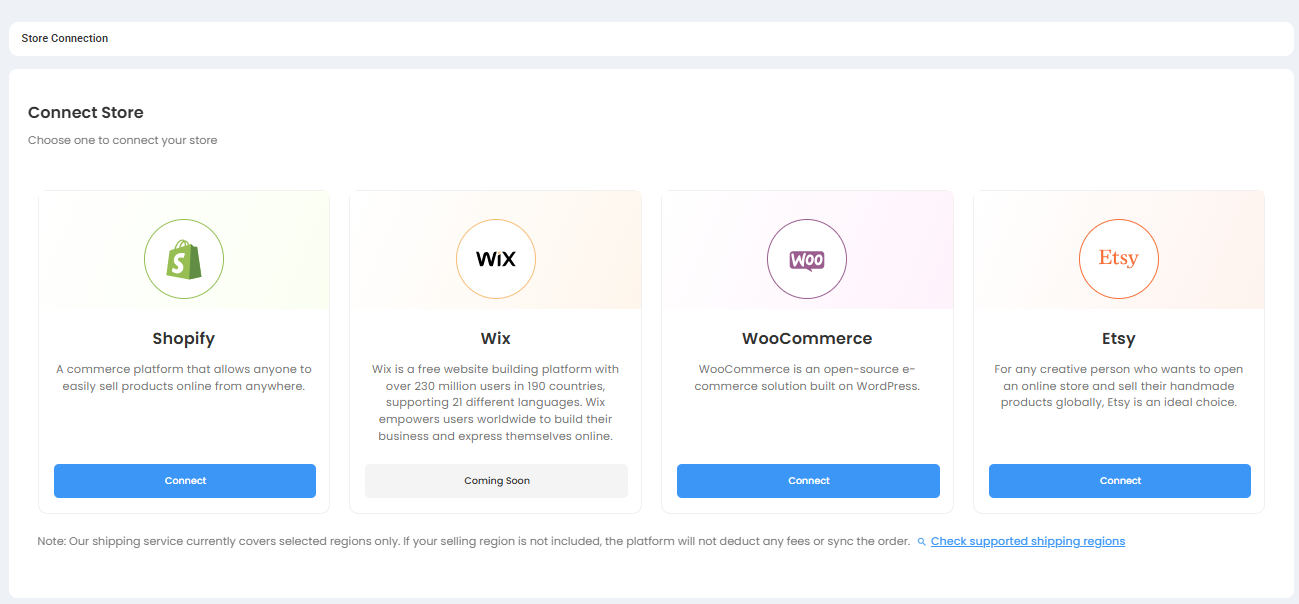
You do not necessarily have to use an Artiststore-hosted storefront.
If you already sell through another e-commerce platform, Artiststore can also be used as the POD production and fulfillment side of your business.
Artiststore’s current Help Center documents connection workflows for Shopify , Etsy , and WooCommerce . Because integrations and supported product categories can change, check Integration Management → Store Connection in your Artist Dashboard for the channels currently available to your account before setting up your workflow.
This can be useful if you already have an established store and do not want to move your existing audience.
For someone starting from zero, however, creating an Artiststore storefront is usually the simpler path.
Optional: Join the Artiststore Marketplace
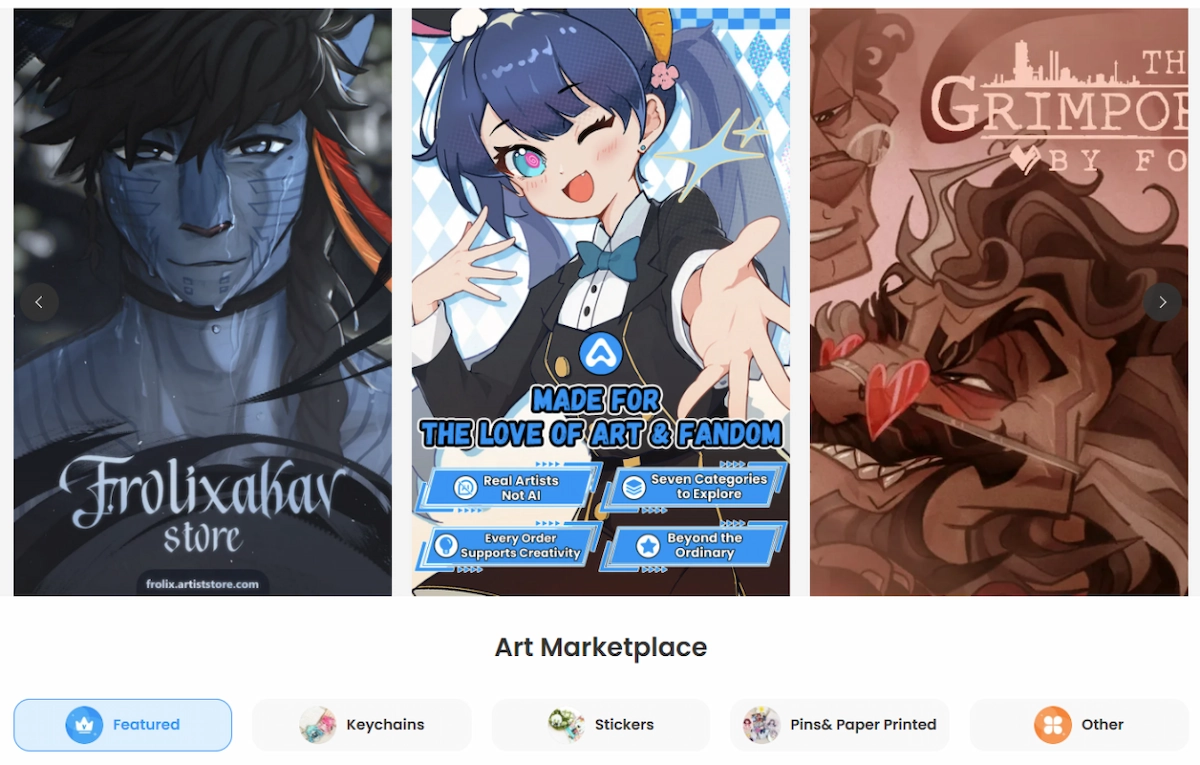
Your own storefront and the Artiststore Marketplace serve slightly different purposes.
Your Artiststore shop gives you a branded place to send your own audience. The Marketplace gives your products another opportunity to be discovered inside Artiststore.
Artists who want the additional exposure can apply through their dashboard after setting up their store and products. Artiststore currently describes Marketplace listings as commission-free and does not require artists to join in order to operate their own store.
For a new artist, it can make sense to use both:
Your own store for your brand.
The Marketplace for additional discovery.
A Better Way to Plan Your First Art Store
One of the easiest mistakes to make is thinking that a successful store needs a huge catalog.
It does not.
A more practical first launch might be:
1 theme
3–5 designs
5–10 products
1 clear storefront
1 place to send your audience
Launch that first.
See what people click, what they buy, what they ask about, and which designs get the strongest response.
Then build the next collection around real feedback rather than guesses.
That is one of the biggest advantages of print on demand: you can experiment without committing to large amounts of inventory first.
Common Mistakes to Avoid
Launching Too Many Products at Once
More products do not automatically create more sales.
A smaller collection with a clear visual identity is often easier for customers to understand and easier for you to promote.
Treating Every Artwork as a Separate Product Idea
Think in collections rather than isolated listings.
If people already like a particular character or illustration, giving them several ways to own it can be more effective than constantly introducing unrelated designs.
Ignoring Product Presentation
Great artwork still needs a clear listing.
Make sure customers can quickly understand what the product is, what they are receiving, and why the design is worth buying.
Forgetting the Artist Behind the Store
Your work may bring someone to the page, but your identity can be what makes them follow, return, and support future releases.
Do not make the store feel anonymous unless anonymity is intentionally part of your brand.
Waiting for Everything to Be Perfect
Your first collection will probably teach you things you could not have learned while planning it.
Start with something you are comfortable putting your name on, then improve the store as your audience responds.
Final Thoughts
Starting an online art store no longer has to mean ordering hundreds of products, storing inventory, packing every parcel yourself, or building a complicated e-commerce operation before making your first sale.
With print on demand, you can begin much smaller.
Create a focused collection. Build a storefront that looks like your work. Set your prices. Share it with the people who already care about what you create.
Artiststore is designed to handle the production and fulfillment side while giving artists control over their storefront, products, and pricing.
Your first store does not need to be your final version.
It just needs to give your art somewhere to become something people can discover, buy, collect, and keep.